Why photos from your old iPhone look better
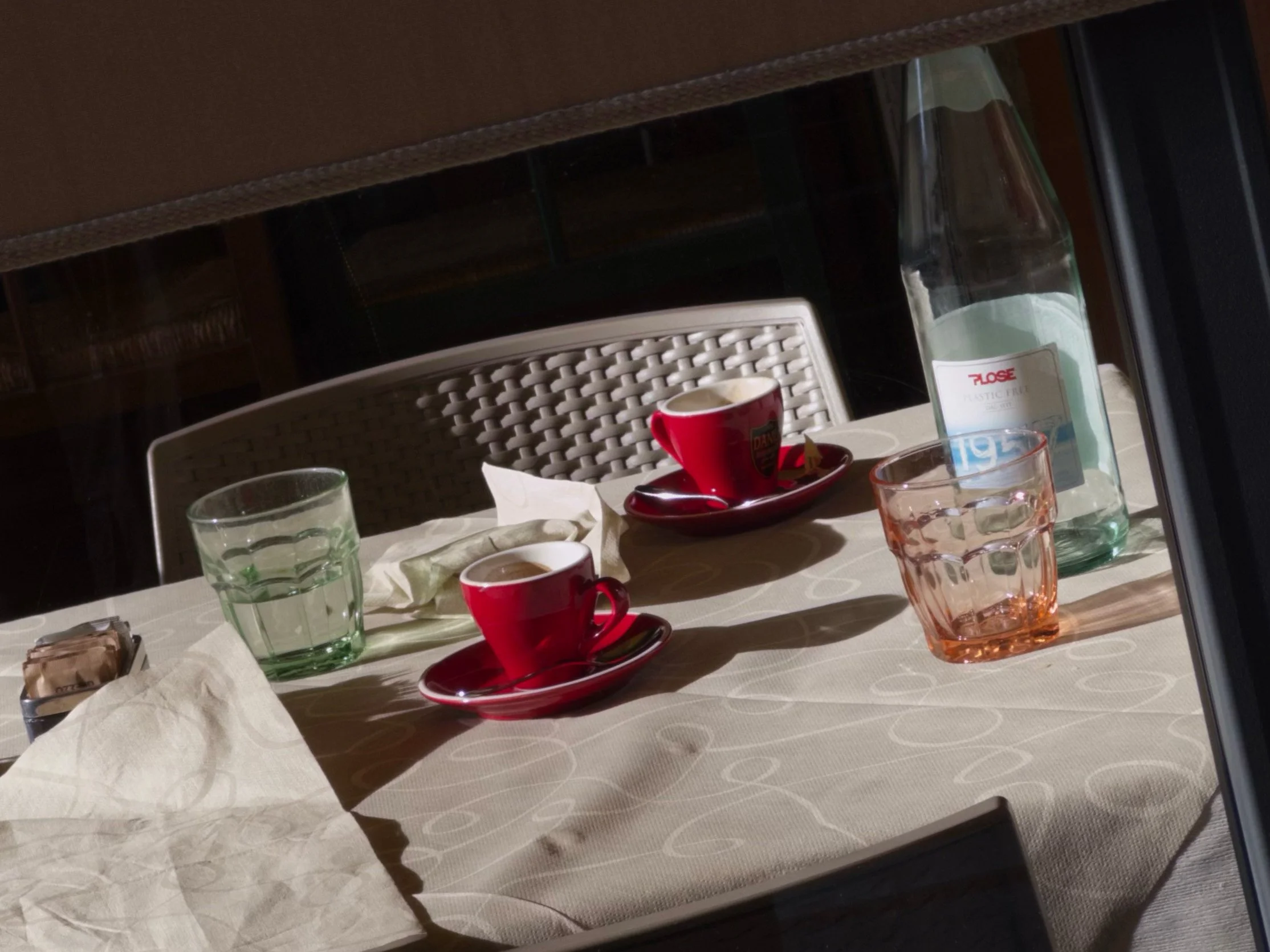
Shot on iPhone 15 Pro with Moment camera app (Natural processing)
Sometimes you take a photo and it just looks off: the face is a piece of grotesque art, the leaves are all blue and pixelated, the dog you wanted to capture is blurry. Looks like your phone failed to handle the situation because it’s just a bad piece of tech. But wait, you have a similar shot from this very forest shot on iPhone 4 almost 15 years ago, and it looks just a bit shy of perfect. Impossible. The technology is going backwards! Apple is not as it used to be! Well actually, no… but kinda yes. Let me explain why that happens.
Your new phone is actually too smart now
As camera quality progressed through the years, phones learned how to autofocus, automatically set correct shutter speed, white balance and other settings so you could just press a button. Each new generation of iPhone got better optics and bigger sensors — you could see the jump in quality coming from 5S to 6 to 6S, etc. But soon the manufacturers met the physical limit of what they can fit inside the phone. You can only increase the sensor size in a small body of a smartphone so much before it starts to look and feel ridiculous.
So, when Apple, Samsung, Xiaomi and all the other big guys hit a ceiling in camera development, they went the other way. If you can’t make the sensor itself better, you can at least try to enhance the software part of the process. This is how HDR, night mode and other ‘camera magic’ computational tools came to life. Want a bright picture when it’s dark outside? Just take a couple of different pictures and combine them together. Want to have details in the shadows on a high contrast shot? Just alternate the settings between the shots that you combine. This is how it works.
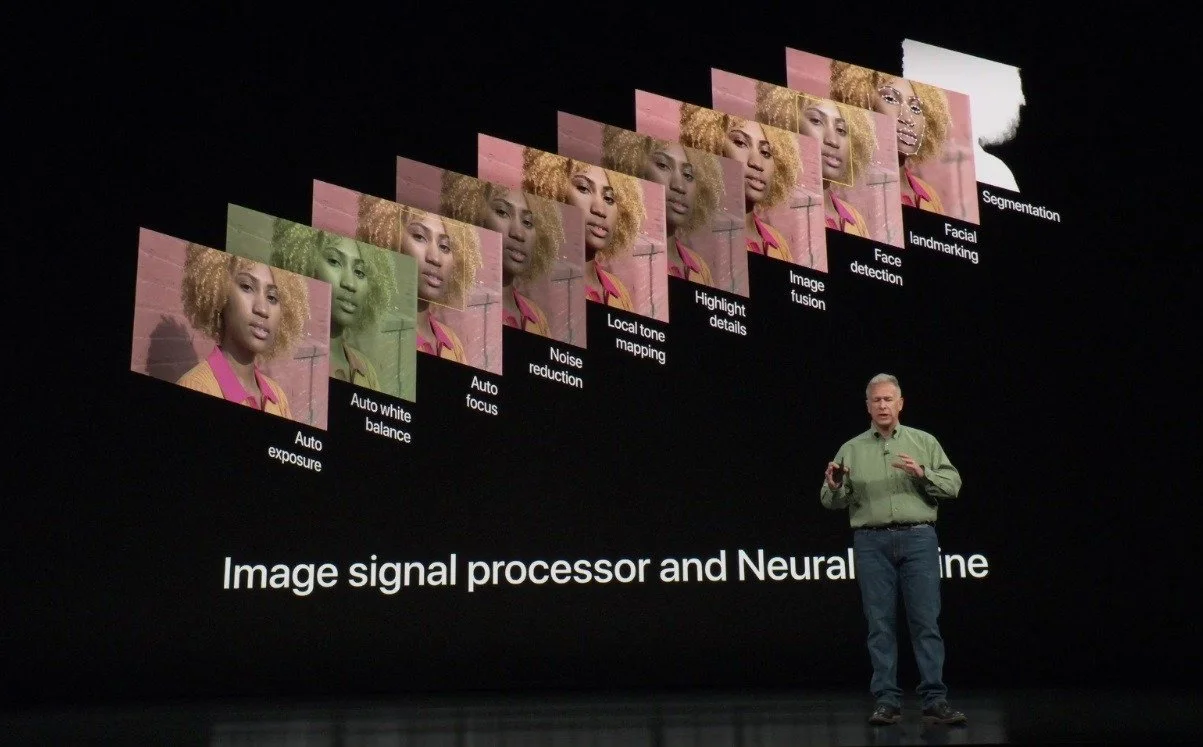
Apple introduces a new camera system on the iPhone XS and XS Max
And thanks to modern processing power it can all be done in less than a second after you press the shutter button. But also that’s why your phone is too smart — it now has to take ten times as many photos, and decide what to combine and what to leave untouched. Not to mention AI enhancement and post editing.
There’s a lot of room for error on each step of this complicated mechanism that is computational photography. If your dog moves fast, the camera can glitch and capture different positions in between the photos it combines. If the light source changes its brightness in the middle of taking a photo, your phone might want to compensate for it the way it can — by ruining your shot with too much brightness.
What makes ‘a vibe’?
So that explains what can go wrong, but still doesn’t explain why photos from the iPhone 4 look better. To start with, the photos you probably think about are the lucky ones. iPhone 4 was way worse in terms of adapting to different conditions, and you probably forgot or deleted countless shots that turned out bad. You might have not even taken them, as it was too dark to shoot with a phone. Now you know your camera can salvage a photo in any situation, and you shoot more with it, increasing the possibility of a bad photo. The old photos you like are the well lit sunny frames that were taken in what can be called perfect conditions.
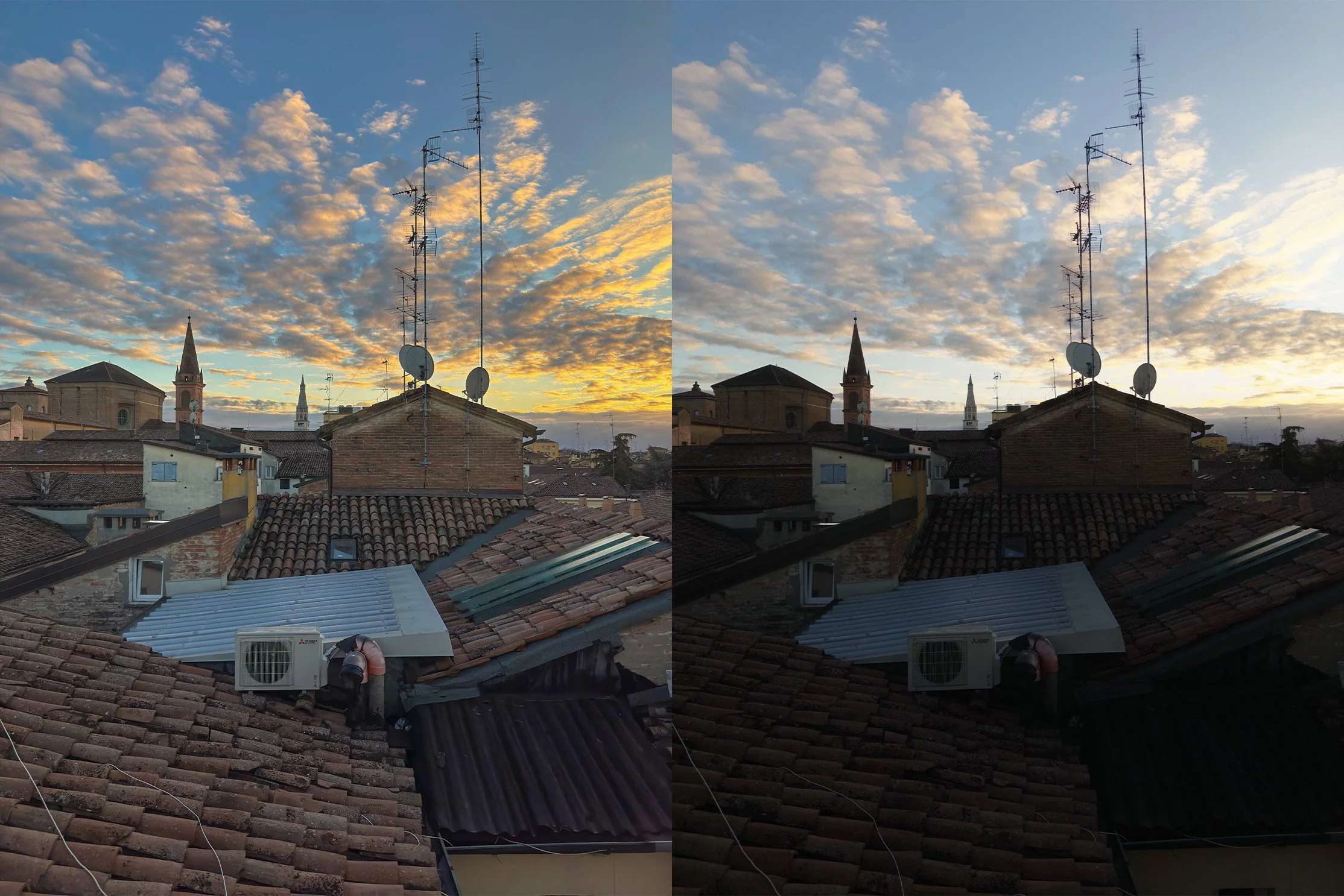
Which photo looks better? The one on the left is a typical modern HDR-ed look, the right one is an old-school natural
But also the phones (and cameras in general) of the past were way less about processing, they produced simpler photos. They didn’t sharpen the shots afterwards, they didn’t mask out the subjects and didn’t use HDR to raise the shadows where it’s not needed. This lack of processing usually results in photos that are imperfect, but way nicer.
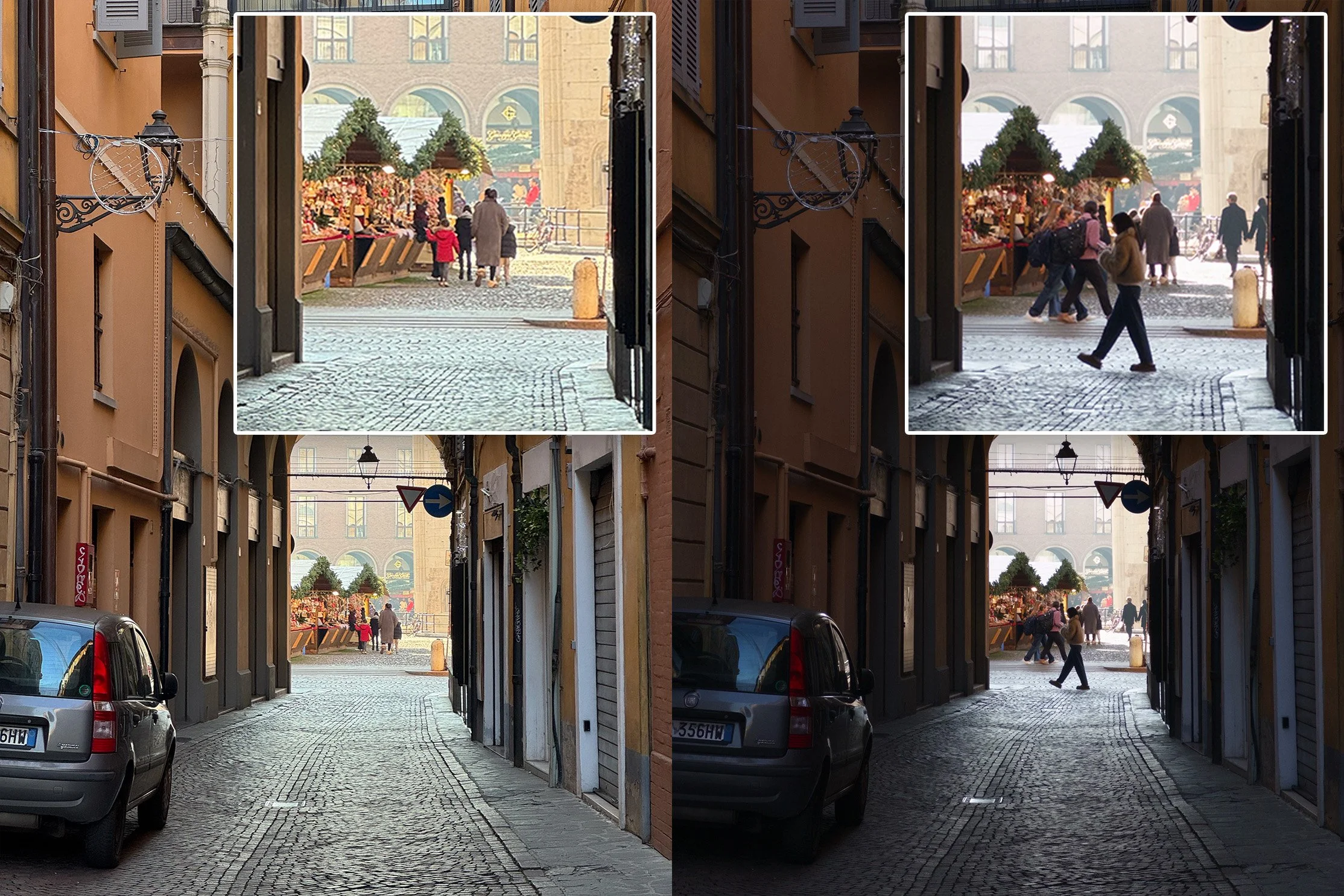
See how bad and oversharpened pavement looks on the left if we zoom in. That’s overprocessing
They are a bit less sharp, not so detailed, sometimes too bright or too dark. But that’s good. We (humans) like contrasts, like artistic stylization, and imperfections that make something feel unique. And old phones did exactly this. This is the reason we love film photos more than digital. The reason vinyl sales never quite died. This old tech has a soul that can’t be reduced to numbers.
What can you do to get this vibe on your modern phone
All is not lost! Understanding how important it is to not get used to technically perfect but visually boring photos that modern phones produce, camera app developers set on a mission to get back to the roots. This is how a whole array of apps that reduce the processing appeared: Halide Process Zero, Moment Natural Processing, ZeroCam. They strip down the process, leaving unnecessary (for what we want to achieve) steps I explained before. Result — an old-school picture that is not oversaturated or overbrightened and feels like a real deal.
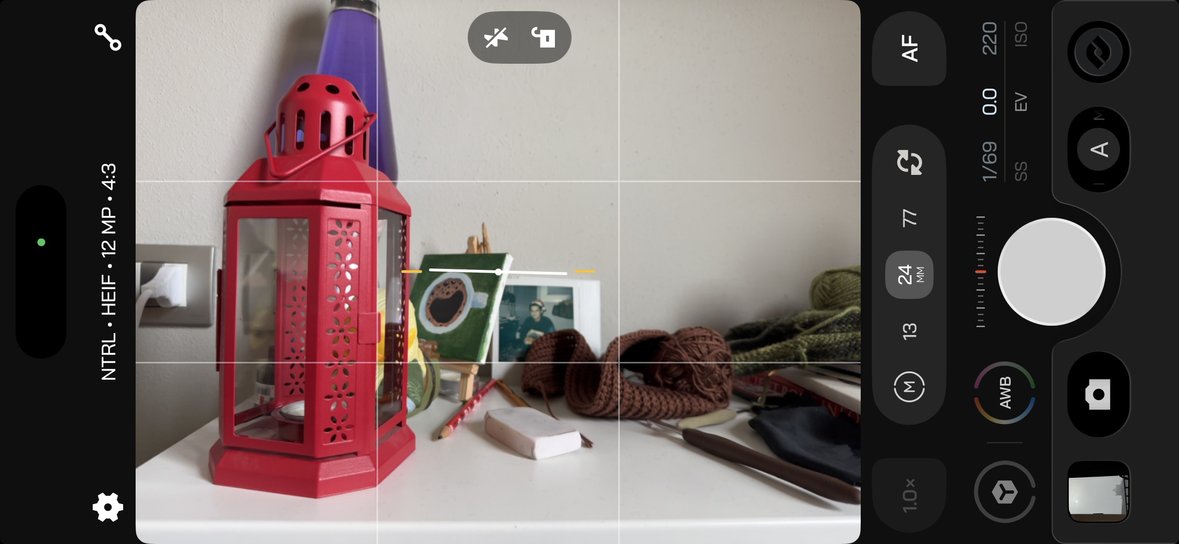
Moment camera app with Natural processing
I have to warn you — just like older phones, these apps are not really good in darker conditions or situations with difficult lighting. After all, the ‘camera magic’ modern phones do exist for a reason. Without all this post processing, some shots just become impossible.
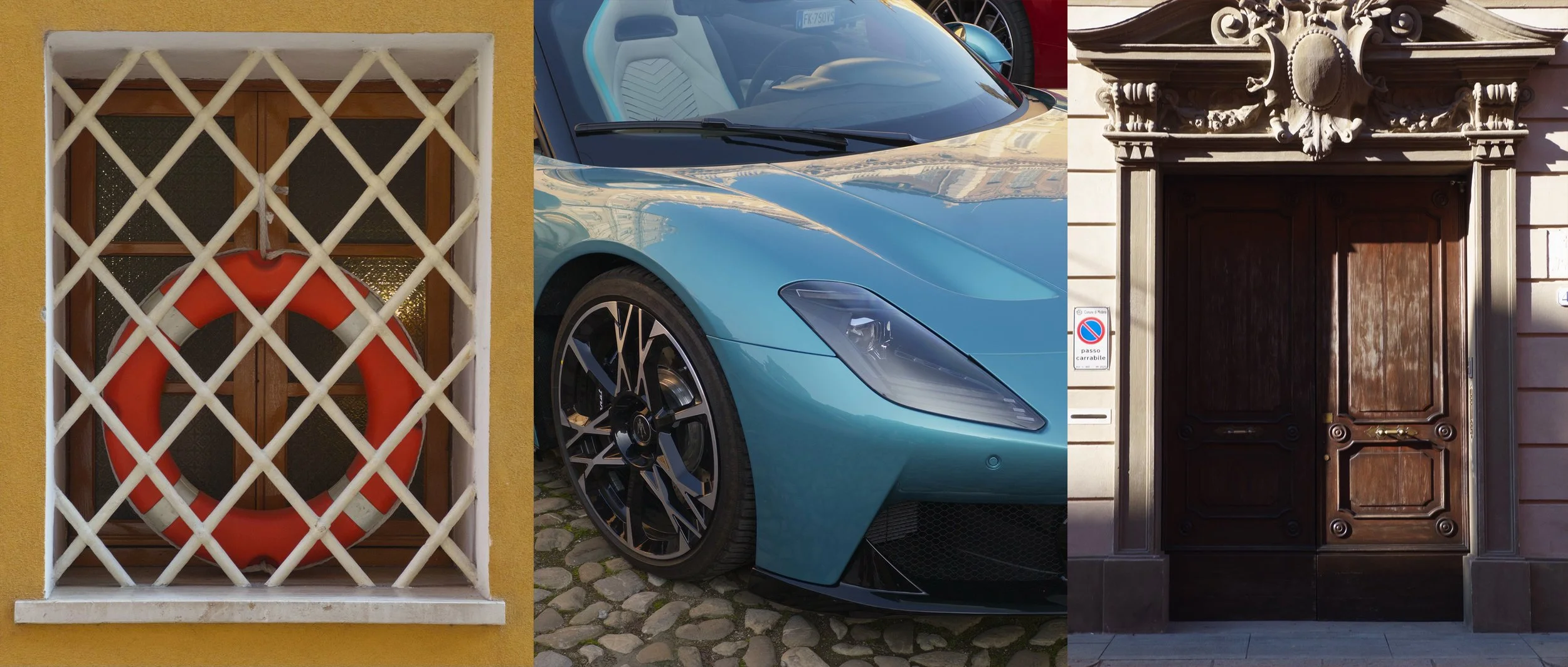
Photos I took on my iPhone 15 Pro with the Moment camera app (Natural processing)
I found that for me natural processing works especially well when I want to just capture memories. Stuff like moments with my dog or drinking mulled wine at a Christmas market in front of a shining tree. Shots like this benefit most from soft lines and hazy halos around the light sources.
P.S. You don’t need to buy a digital camera, just turn off processing on your phone.
